Sky Roll
About Sky Roll
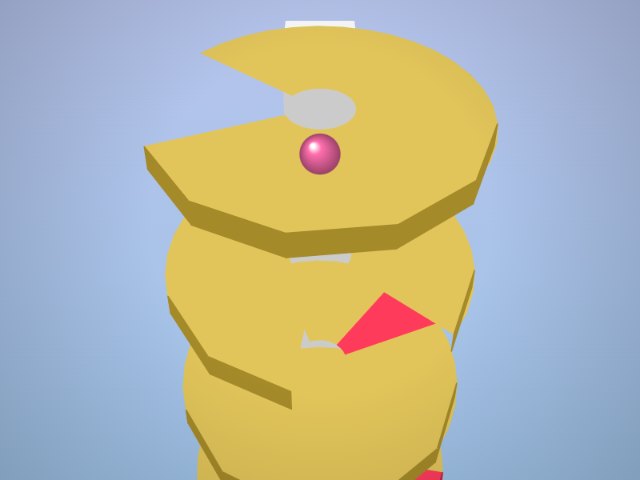
Sky Roll is a free 3D rolling ball game. A shiny ball rolls along a road of floating tiles high above the clouds, and the road is full of gaps, narrow bridges, split lanes and moving blocks. Hold left or right, or drag, to roll the ball across the tiles and keep it on the road. The ball rolls forward on its own and keeps getting faster. Some parts of the road split into lanes with holes in between, some tiles slide from side to side, and jump pads throw the ball high over long gaps. Shiny gems float above the road: roll through them for bonus points and coins. Fall off the edge and the run is over, but you can resume once and carry on from where you fell. Your score is the distance you rolled plus the gems you collected. The colours of the sky change as you go further, from morning blue to pink sunset to a starry night. Sky Roll is easy to understand, beautiful to watch and hard to stop playing, and it works on phones and tablets with touch and on computers with the arrow keys.
How to play
- Hold left / right or drag to roll
- Keyboard: ← → arrow keys
- Jump pads launch you over gaps
- Collect 💎 gems for bonus points
Tips
- Look ahead to see where the road goes
- Small moves on narrow bridges
- Moving tiles: wait for them to line up
- Stay in the middle of wide tiles
FAQ
Is Sky Roll free to play?
Yes. Sky Roll is free on Zoomo. There is nothing to buy; optional ads only let you resume a run or double your coins.
Do I need to download anything?
No. Sky Roll runs in your web browser. You can also install the Zoomo app on your phone, tablet or computer.
Does Sky Roll work on phones?
Yes. It is made for touch screens first, and it also works with a mouse and keyboard on a computer.
Is my score saved?
Your best score, coins, level and streak are saved in your browser on this device. Clearing your browser data resets them.